One tap
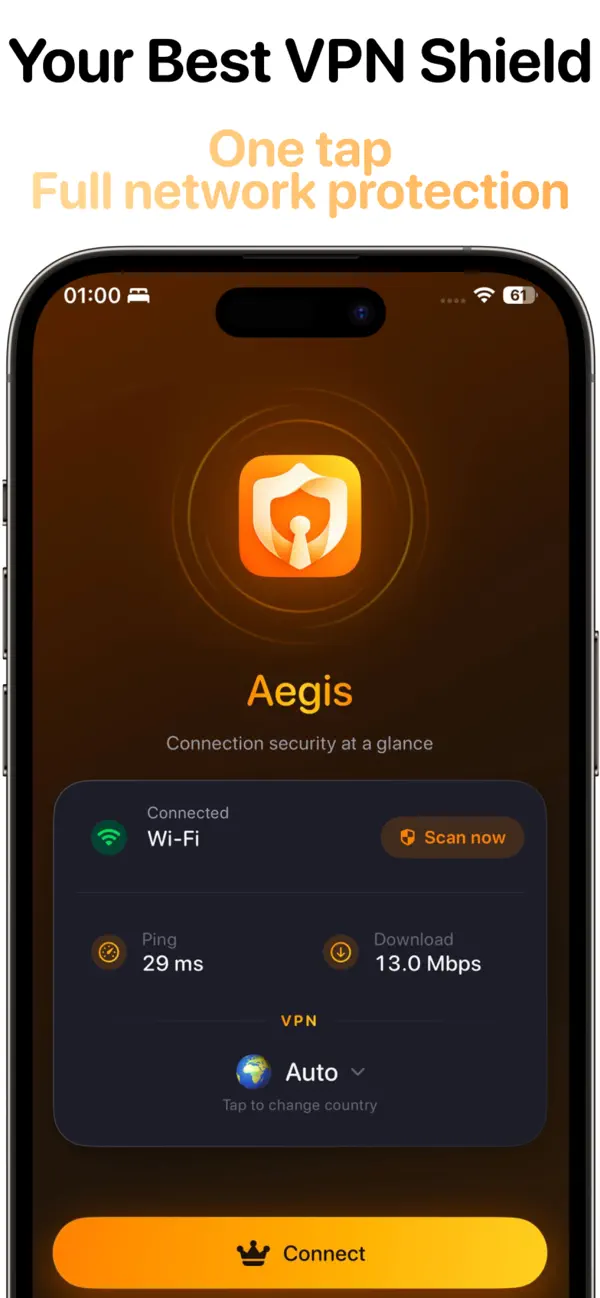
The connect button is on the main screen. Aegis chooses the country automatically.
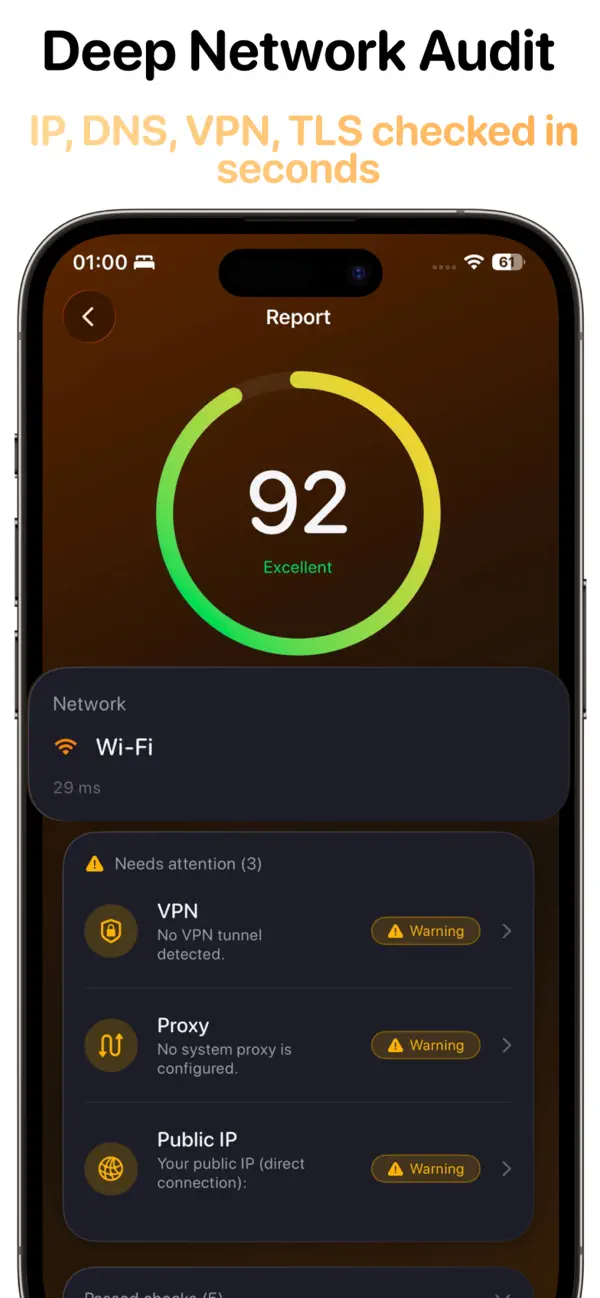
Aegis connects in one tap and hides your IP address. A built-in scan shows whether the network you're on leaks DNS requests, breaks HTTPS or hides a login page.
Free to download. Requires iOS 17, iPadOS 17 or macOS 14.
Aegis picks a country for you. If you need a specific region, choose a server from the list. There is nothing to configure.
The connect button is on the main screen. Aegis chooses the country automatically.
Need a particular region? Open the list and select the country yourself.
Websites and apps see the VPN server's address. Your real IP and location stay with your provider.
The app shows current ping and download speed, so you can tell straight away whether a server suits you.
On mobile data the signal and the cell tower change as you move. Aegis is tuned for these conditions.
The tunnel runs on VLESS + REALITY with xtls-vision. Traffic is encrypted with TLS 1.3.
Before you open your bank or work email on someone else's network, run a scan. Aegis tests the connection and gives it a score, with details on every problem it finds.
Checks run on your device and results stay on it. The scan is a quick test of the current network, not a replacement for a professional security audit.
Download it free from the App Store on iPhone, iPad or Mac. The app is about 53 MB.
iOS asks once for permission to add a VPN configuration. After that, connecting takes one tap.
On a new Wi-Fi network, run a check and look at the score. Warnings come with a short explanation.
Aegis notices the sign-in page, and once you're through it, the VPN hides your traffic from other guests on the same network.
Work mail, chats and documents go through an encrypted tunnel instead of an open hotspot.
Connect through a server in the country you need. Ping on the main screen helps you find a fast one.
The IP lookup and DNS leak test show whether your traffic really goes through the tunnel, with Aegis or another VPN.
On an unfamiliar network, run a scan before you pay or sign in to your bank. It takes a few seconds.
Run a scan at home once in a while. If the score drops, the report shows which check failed.
Aegis doesn't record which sites you visit or what you download through the VPN.
The app proves to our server that it runs on a genuine Apple device. No shared keys are built into the app.
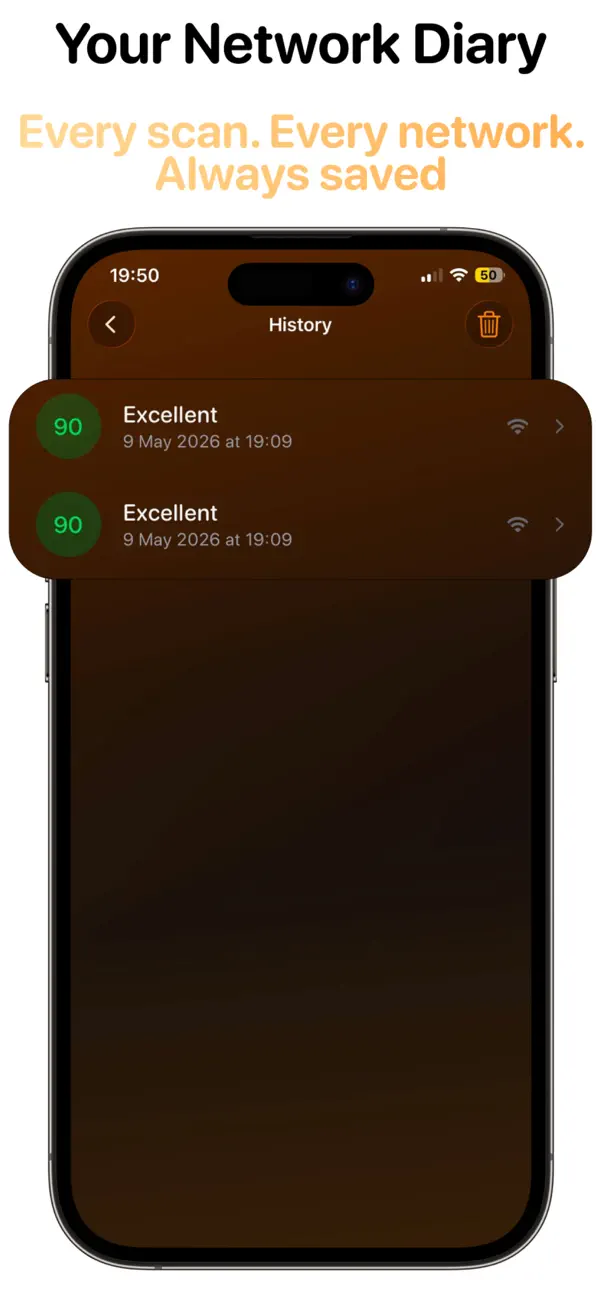
Network check results are stored only on your device. Delete the app and they're gone.
There are no banners or ad trackers in the app.
Subscriptions are billed by the App Store. We never see your card details.
Turn the VPN on, run a scan and see which IP and DNS servers the internet sees.
Each Aegis user has a personal code. Send a friend your link, and when they install the app with it, you get a week of Premium.
+7 days per friendThe app is free to download. Premium is a subscription sold through the App Store: in the US it costs $4.99 a week, $9.99 a month or $69.99 a year. Prices in other countries are shown on the App Store page and in the app.
iPhone with iOS 17 or later, iPad with iPadOS 17 or later, and Mac with macOS 14 or later. On a Mac, the app installs from the Mac App Store.
It looks up your public IP and provider, tests several DNS resolvers for leaks, checks whether a VPN or proxy is active, verifies that HTTPS sites open over an encrypted connection, detects login portals and shows the connection type. You get a score and a list of warnings.
No. Checks run on the device and results are stored on it. To find your public IP and test DNS, the app contacts public network services directly. Nothing from the scan is sent to our servers.
Aegis doesn't log the sites you visit or the content of your traffic.
VLESS with REALITY and xtls-vision over TCP. Traffic is encrypted with TLS 1.3. You don't need to configure anything.
By default Aegis picks one automatically. To choose yourself, open the server list and tap the country you need.
Share your link vpnaegis.org/r/ followed by your code. When a friend installs Aegis with it, you get 7 days of Premium.
On iPhone or iPad, open Settings, tap your name, then Subscriptions, and choose Aegis. Billing and refunds are handled by Apple.
Aegis isn't published in every App Store country. If the page shows an error, the app isn't available in your Apple Account's region.
Write to us on Telegram: @aegissafe.
VPN and a network check in one app for iPhone, iPad and Mac.
Download on theApp Store